Deprecated: optional(): Implicitly marking parameter $callback as nullable is deprecated, the explicit nullable type must be used instead in /www/wwwroot/portal.artprinter.com.br/vendor/illuminate/support/helpers.php on line 190

Deprecated: with(): Implicitly marking parameter $callback as nullable is deprecated, the explicit nullable type must be used instead in /www/wwwroot/portal.artprinter.com.br/vendor/illuminate/support/helpers.php on line 430

Deprecated: Jenssegers\Blade\Blade::__construct(): Implicitly marking parameter $container as nullable is deprecated, the explicit nullable type must be used instead in /www/wwwroot/portal.artprinter.com.br/vendor/jenssegers/blade/src/Blade.php on line 34

Deprecated: Illuminate\Container\Container::beforeResolving(): Implicitly marking parameter $callback as nullable is deprecated, the explicit nullable type must be used instead in /www/wwwroot/portal.artprinter.com.br/vendor/illuminate/container/Container.php on line 1151

Deprecated: Illuminate\Container\Container::resolving(): Implicitly marking parameter $callback as nullable is deprecated, the explicit nullable type must be used instead in /www/wwwroot/portal.artprinter.com.br/vendor/illuminate/container/Container.php on line 1171

Deprecated: Illuminate\Container\Container::afterResolving(): Implicitly marking parameter $callback as nullable is deprecated, the explicit nullable type must be used instead in /www/wwwroot/portal.artprinter.com.br/vendor/illuminate/container/Container.php on line 1191

Deprecated: Illuminate\Container\Container::setInstance(): Implicitly marking parameter $container as nullable is deprecated, the explicit nullable type must be used instead in /www/wwwroot/portal.artprinter.com.br/vendor/illuminate/container/Container.php on line 1430

Deprecated: Illuminate\Contracts\Container\Container::beforeResolving(): Implicitly marking parameter $callback as nullable is deprecated, the explicit nullable type must be used instead in /www/wwwroot/portal.artprinter.com.br/vendor/illuminate/contracts/Container/Container.php on line 200

Deprecated: Illuminate\Contracts\Container\Container::resolving(): Implicitly marking parameter $callback as nullable is deprecated, the explicit nullable type must be used instead in /www/wwwroot/portal.artprinter.com.br/vendor/illuminate/contracts/Container/Container.php on line 209

Deprecated: Illuminate\Contracts\Container\Container::afterResolving(): Implicitly marking parameter $callback as nullable is deprecated, the explicit nullable type must be used instead in /www/wwwroot/portal.artprinter.com.br/vendor/illuminate/contracts/Container/Container.php on line 218

Deprecated: Illuminate\View\FileViewFinder::__construct(): Implicitly marking parameter $extensions as nullable is deprecated, the explicit nullable type must be used instead in /www/wwwroot/portal.artprinter.com.br/vendor/illuminate/view/FileViewFinder.php on line 53

Deprecated: Illuminate\Support\Traits\Conditionable::when(): Implicitly marking parameter $callback as nullable is deprecated, the explicit nullable type must be used instead in /www/wwwroot/portal.artprinter.com.br/vendor/illuminate/conditionable/Traits/Conditionable.php on line 21

Deprecated: Illuminate\Support\Traits\Conditionable::when(): Implicitly marking parameter $default as nullable is deprecated, the explicit nullable type must be used instead in /www/wwwroot/portal.artprinter.com.br/vendor/illuminate/conditionable/Traits/Conditionable.php on line 21

Deprecated: Illuminate\Support\Traits\Conditionable::unless(): Implicitly marking parameter $callback as nullable is deprecated, the explicit nullable type must be used instead in /www/wwwroot/portal.artprinter.com.br/vendor/illuminate/conditionable/Traits/Conditionable.php on line 53

Deprecated: Illuminate\Support\Traits\Conditionable::unless(): Implicitly marking parameter $default as nullable is deprecated, the explicit nullable type must be used instead in /www/wwwroot/portal.artprinter.com.br/vendor/illuminate/conditionable/Traits/Conditionable.php on line 53

Deprecated: Illuminate\Support\Arr::first(): Implicitly marking parameter $callback as nullable is deprecated, the explicit nullable type must be used instead in /www/wwwroot/portal.artprinter.com.br/vendor/illuminate/collections/Arr.php on line 188

Deprecated: Illuminate\Support\Arr::last(): Implicitly marking parameter $callback as nullable is deprecated, the explicit nullable type must be used instead in /www/wwwroot/portal.artprinter.com.br/vendor/illuminate/collections/Arr.php on line 219

Deprecated: Illuminate\Events\Dispatcher::__construct(): Implicitly marking parameter $container as nullable is deprecated, the explicit nullable type must be used instead in /www/wwwroot/portal.artprinter.com.br/vendor/illuminate/events/Dispatcher.php on line 75

Deprecated: Illuminate\View\Compilers\BladeCompiler::anonymousComponentPath(): Implicitly marking parameter $prefix as nullable is deprecated, the explicit nullable type must be used instead in /www/wwwroot/portal.artprinter.com.br/vendor/illuminate/view/Compilers/BladeCompiler.php on line 811

Deprecated: Illuminate\View\Compilers\BladeCompiler::anonymousComponentNamespace(): Implicitly marking parameter $prefix as nullable is deprecated, the explicit nullable type must be used instead in /www/wwwroot/portal.artprinter.com.br/vendor/illuminate/view/Compilers/BladeCompiler.php on line 833

Deprecated: Illuminate\View\View::render(): Implicitly marking parameter $callback as nullable is deprecated, the explicit nullable type must be used instead in /www/wwwroot/portal.artprinter.com.br/vendor/illuminate/view/View.php on line 156

Deprecated: Illuminate\View\Engines\CompilerEngine::__construct(): Implicitly marking parameter $files as nullable is deprecated, the explicit nullable type must be used instead in /www/wwwroot/portal.artprinter.com.br/vendor/illuminate/view/Engines/CompilerEngine.php on line 42

Deprecated: Illuminate\Support\Str::createRandomStringsUsing(): Implicitly marking parameter $factory as nullable is deprecated, the explicit nullable type must be used instead in /www/wwwroot/portal.artprinter.com.br/vendor/illuminate/support/Str.php on line 962

Deprecated: Illuminate\Support\Str::createUuidsUsing(): Implicitly marking parameter $factory as nullable is deprecated, the explicit nullable type must be used instead in /www/wwwroot/portal.artprinter.com.br/vendor/illuminate/support/Str.php on line 1667

Deprecated: Illuminate\Support\Str::freezeUuids(): Implicitly marking parameter $callback as nullable is deprecated, the explicit nullable type must be used instead in /www/wwwroot/portal.artprinter.com.br/vendor/illuminate/support/Str.php on line 1712

Deprecated: Illuminate\Support\Str::createUlidsUsing(): Implicitly marking parameter $factory as nullable is deprecated, the explicit nullable type must be used instead in /www/wwwroot/portal.artprinter.com.br/vendor/illuminate/support/Str.php on line 1774

Deprecated: Illuminate\Support\Str::freezeUlids(): Implicitly marking parameter $callback as nullable is deprecated, the explicit nullable type must be used instead in /www/wwwroot/portal.artprinter.com.br/vendor/illuminate/support/Str.php on line 1819
ニンテンドーアカウント削除の罠!購入ソフトや残高の行方と復活手順

ニンテンドーアカウント削除の罠!購入ソフトや残高の行方と復活手順

目次
ニンテンドーアカウント削除の罠!購入ソフトや残高の行方と復活手順
@ creator • Click to Play Video Inline
🎵 ニンテンドーアカウント削除の罠!購入ソフトや残高の行方と復活手順

Nintendo Switchの整理や本体の買い替え、端末の譲渡に伴い、利用頻度の落ちたアカウントを整理しようと考える人が増えています。しかし、画面に表示される手続きを深く考えずに進めてしまうと、これまで長年積み上げてきた大切なゲーム資産を一瞬で失う事態に陥りかねません。

「本体からユーザーを消すだけ」のつもりでアカウント自体の退会手続きを取ってしまい、購入済みのダウンロードソフトやチャージ残高が消失して頭を抱えるトラブルは後を絶ちません。後悔する前に知っておくべき決定的なリスクや30日間の復活猶予期間、本体操作との根本的な違いを徹底解説します。

📌 【この記事の重要ポイントまとめ】
  • 要点1:アカウントを完全削除すると、購入済みダウンロードソフトやニンテンドーeショップ残高、マイニンテンドーポイントは全て永久に消滅する。
  • 要点2:「Switch本体のユーザー削除」と「ニンテンドーアカウントの削除(退会)」は全く別物であり、セーブデータ引き継ぎにも致命的な影響を及ぼす。
  • 要点3:削除手続き後も30日間の復活猶予期間内なら復元可能だが、Nintendo Switch Onlineの定期購入停止や子どもアカウントの連携解除など事前準備が欠かせない。

【決定的な違い】Switch本体の「ユーザー削除」と「アカウント削除」
ニンテンドー アカウント 削除

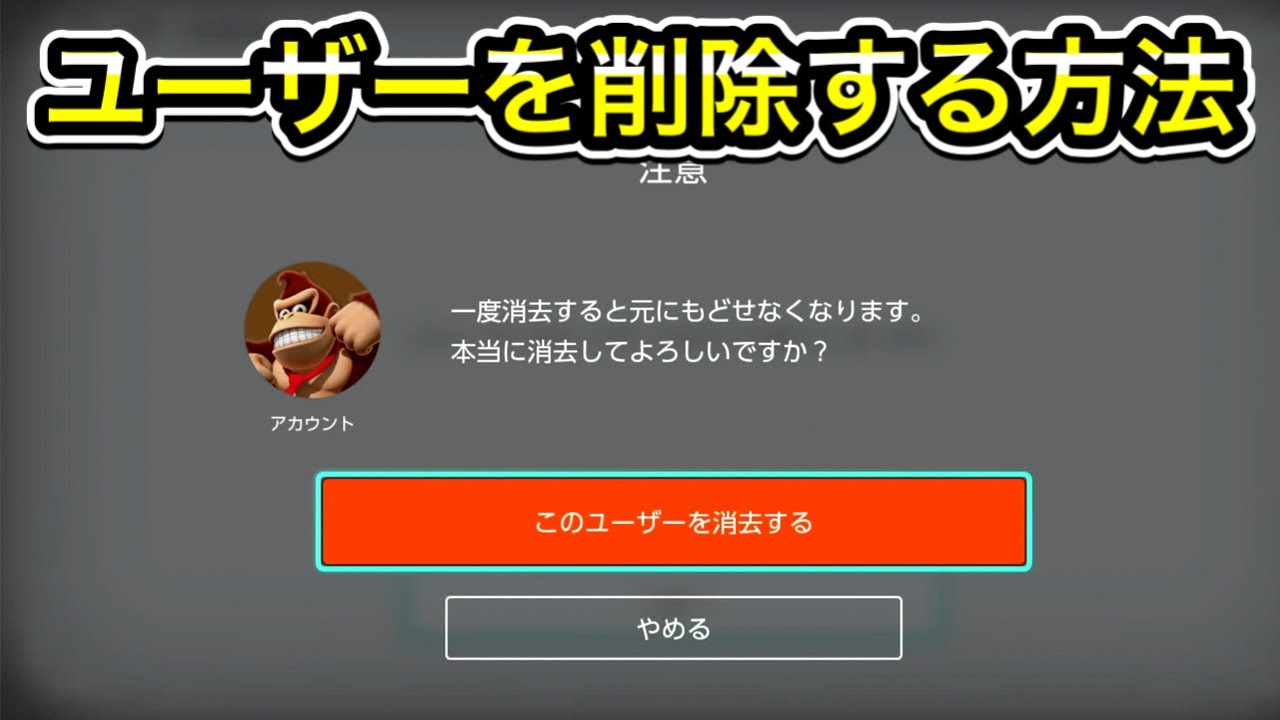
ゲーム機を手放す際やアカウントを整理する際、最も多くの人が誤解しやすいのが「本体上のユーザー削除」と「ニンテンドーアカウントの削除(退会)」の違いです。この2つは影響範囲が全く異なります。

Switch本体の設定画面から行う「ユーザーの消去」は、あくまで特定のゲーム機端末から連携と本体内データを切り離すローカル操作に過ぎません。サーバー上に存在するニンテンドーアカウントそのものは残るため、別のSwitch本体を用意して再ログインすれば、購入済みソフトの再ダウンロードやクラウドに保存されたセーブデータ引き継ぎが可能です。

これに対して「ニンテンドーアカウントの削除」は、任天堂のサーバーに登録されている会員情報そのものを完全に抹消する手続きです。これを実行すると、連携しているすべての機器からアクセス権が失われ、Web上のマイニンテンドーサービスを含めた全データへのアクセスが遮断されます。端末を初期化したいだけであれば、アカウント削除ではなく本体の初期化やユーザー消去だけで十分です。

【失うもの一覧】購入ソフト・eショップ残高・ポイントの完全消滅リスク
ニンテンドー アカウント 削除

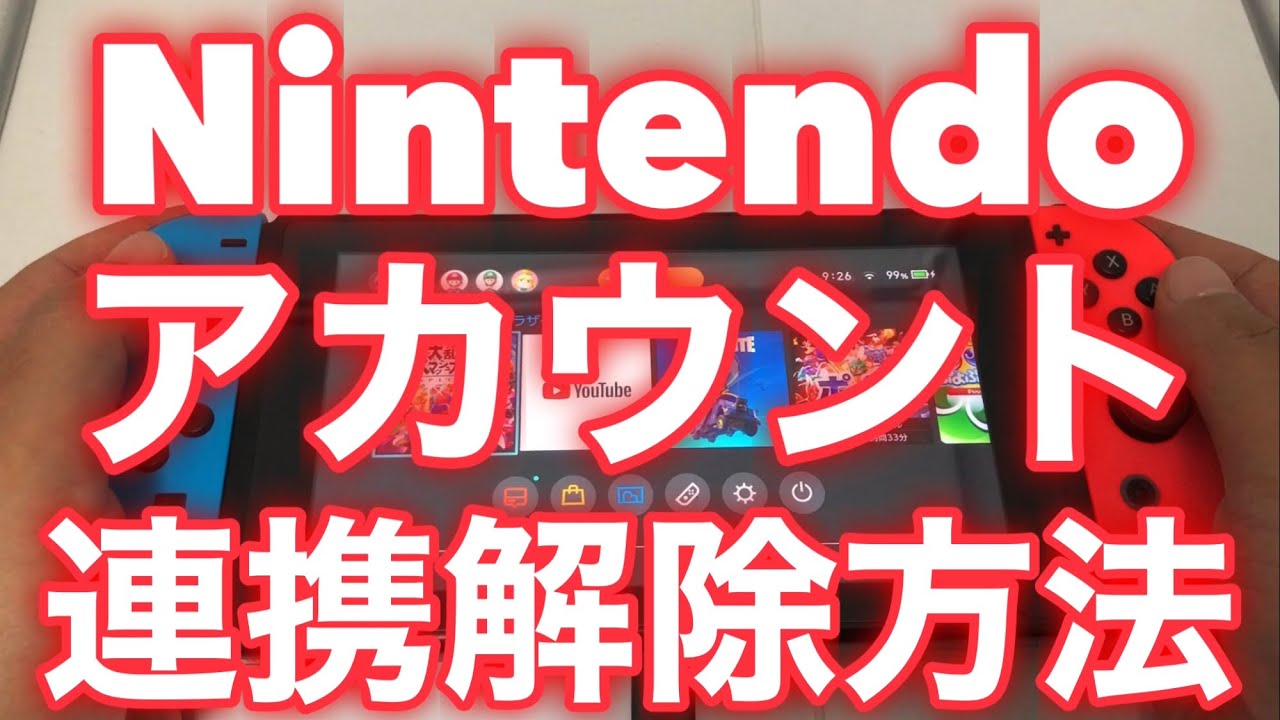
ニンテンドーアカウントを退会・削除した場合、これまで投じた金銭的資産やプレイ履歴はどのように処理されるのでしょうか。結論から言えば、金銭的価値を持つデジタルデータは例外なくすべて消滅します。

アカウント削除によって失われる主なデータは以下の通りです。

1. 購入済みダウンロードソフト・追加コンテンツ(DLC)の利用権
ニンテンドーeショップやマイニンテンドーストアで購入したすべてのソフト、追加DLC、ゲーム内通貨の再ダウンロード権利が永久に失われます。パッケージ版のセーブデータであっても、アカウント連携が必要なオンライン機能は利用不能になります。

2. ニンテンドーeショップの未使用残高
アカウント内に残っているプリペイドカードやクレジットカードからチャージした残高はすべて権利消滅となります。いかなる理由があっても残高の返金や別アカウントへの移行・統合は一切行われません

3. マイニンテンドーポイント(ゴールド・プラチナ)
ソフト購入やミッション達成で貯めたマイニンテンドーポイントは即座に失効します。ノベルティ交換や次回購入の割引に利用することはできなくなります。

4. クラウド上のセーブデータ保管庫
バックアップ機能で任天堂サーバーに預けていたセーブデータも即時アクセス不能となり、猶予期間経過後はサーバーから完全に抹消されます。

【2026年最新の注意点】Nintendo Switch Onlineと自動継続購入の罠
ニンテンドー アカウント 削除

現在アカウント整理を行う上で、特に見落としがちなのが有料サービス「Nintendo Switch Online」の自動継続購入設定です。

アカウント削除の手続きを進めても、決済プラットフォーム側で自動更新の処理が先行して予約されている場合、予期せぬ請求トラブルにつながるリスクが存在します。任天堂サポート公式案内においても、退会前に必ず「自動継続購入の更新停止(解約)」を完了させておくことが強く推奨されています。

また、自身が「ファミリープラン」の管理者になっている場合、管理者のアカウントを削除するとグループに加入している家族全員のオンライン利用権が即座に停止します。子どもや家族のアカウントが影響を受けるため、事前にファミリー設定の引き継ぎやメンバー整理を行わなければなりません。

【図解・手順】ニンテンドーアカウントの正しい削除手順とパスキー解除

リスクを理解した上で、どうしてもアカウントを完全に消去したい場合は、安全のために以下の手順を正しく踏んで実行します。

【ステップ1:事前準備】
・Nintendo Switch Onlineの自動継続購入を停止する
・eショップに残高が残っている場合は使い切る
・必要に応じて設定画面から登録済みの「パスキー解除設定」や2段階認証の確認を行う
・親アカウントの場合、事前に子どもアカウント連携解除または別アカウントへの移行を済ませる

【ステップ2:退会手続きの実行】
1. スマートフォンまたはPCのブラウザから「ニンテンドーアカウント」公式サイトにログイン。
2. メニュー内の「ユーザー情報の編集」を選択。
3. ページ最下部にある「アカウントの消去」をクリック。
4. 注意事項を確認し、「消去する」を選択して確定。

画面上に「アカウントの消去を受け付けました」と表示されれば申請完了です。この時点でSwitch本体との連携は自動的に切断されます。

【30日間の復活猶予期間】誤って削除した時の復元方法と再登録ルール

「間違えて削除ボタンを押してしまった」「子どもが勝手に退会操作をしてしまった」という場合でも、焦る必要はありません。任天堂のシステムには30日間のニンテンドーアカウント復活猶予期間が設けられています。

削除申請を行ってから30日以内であれば、以前登録していたメールアドレス(またはログインID)とパスワードを使ってニンテンドーアカウントのログインページにアクセスするだけで復元が可能です。ログイン時に表示される「アカウントを復活させる」を選択すれば、購入履歴やポイント、フレンドリストを含めたすべてのデータが元の状態で再有効化されます。

ただし、30日間が完全に経過するとサーバーからデータが物理消去されます。この段階を迎えると、任天堂サポート公式窓口に問い合わせを行っても、いかなる救済措置やデータ復旧も不可能です。なお、完全消去後であれば同一のメールアドレスを使った新規の「ニンテンドーアカウント再登録」自体は可能ですが、以前のアカウントデータとは一切連動しない真っさらな状態からのスタートとなります。

【ニンテンドーアカウント削除】に関するよくある質問(FAQ)

Q1:アカウントを削除したら、Switch本体に保存されている写真や動画も消えますか?
A1:本体ストレージやmicroSDカードに保存されている画面写真・動画データは、アカウントを削除してもそのまま残ります。ただし、アルバムからSNSへ投稿する連携機能は利用できなくなります。

Q2:子どもアカウントだけを単体で削除することはできますか?
A2:可能です。ファミリーの管理者アカウントからログインし、「ファミリー」設定メニューから対象の子どもアカウントを選択して削除手続きを行えます。親アカウントを残したまま子どものアカウントのみを整理することが可能です。

Q3:削除猶予期間の30日を過ぎた後、購入していたソフトを買い直さずに遊ぶ方法はありますか?
A3:一切ありません。ダウンロードソフトのライセンスはアカウントに紐付いているため、アカウントが完全消去された場合は再度買い直す必要があります。

まとめ:削除ボタンを押す前に最終確認を

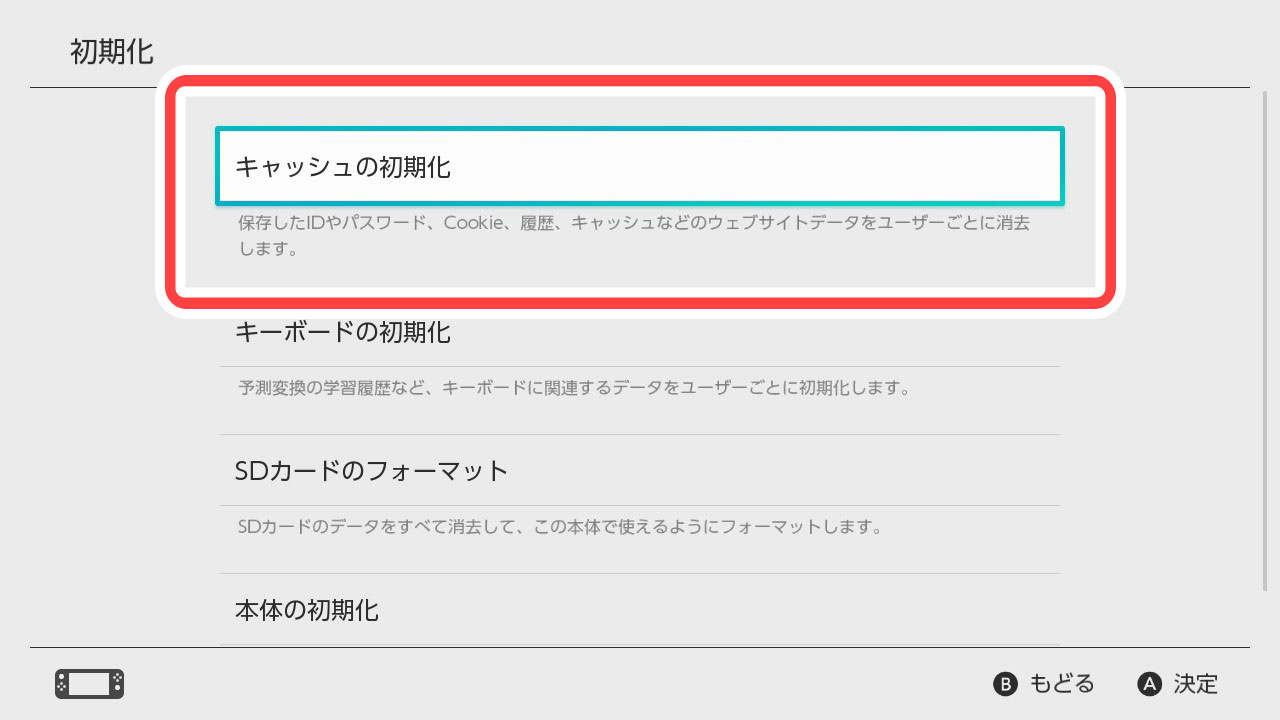
ニンテンドーアカウントの削除は、購入したゲームライブラリやチャージ残高を永久に手放す重大な操作です。「本体を売却・譲渡したい」「端末の動作をリフレッシュしたい」という目的であれば、アカウントを削除する必要はなく、本体設定からの「ユーザー削除」や「本体の初期化」を行うのが正しい選択です。

もしどうしても不要になったアカウントを消去する場合でも、自動更新サービスの解約や残高の使い切りを済ませ、万が一の際は「30日以内なら再ログインで復元できる」というセーフティネットを覚えておくと安心です。取り返しのつかない事態を防ぐためにも、実行前の最終確認を怠らないようにしましょう。 (出典: ニンテンドー アカウント 削除(Yahoo!ニュース)